Starting Fresh: Building My Corner of the Internet
Welcome to my corner of the internet. For years, building this site was one of those "someday" projects I never got around to. Always pushed aside by client work, deadlines, and family obligations. But recently, a renewed desire to write again, not just code, but thoughts and lessons learned finally provided the spark. I wanted to build something real, not for content marketing, but for myself. Something authentically mine.
When AI Art Sparked a Technical Vision
While the desire to write was the initial spark, the site's visual inspiration came from an unexpected place. While experimenting with ChatGPT's image generation, I uploaded a selfie and prompted it to create a Tintin-style comic book version. The result was charming, quirky, and somehow captured something essential about how I wanted my site to feel.
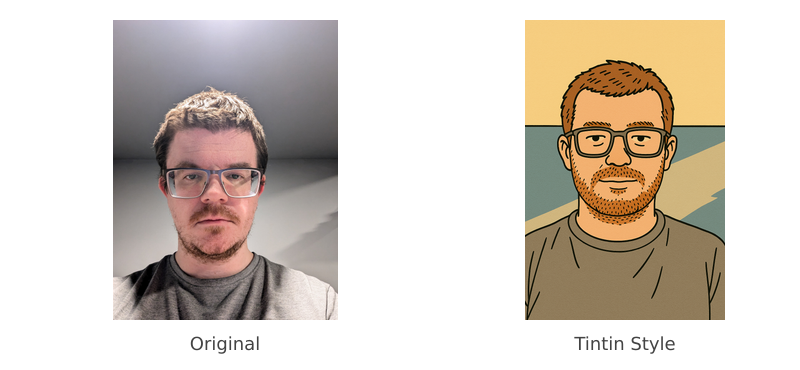
That AI-generated Tintin character became more than just an avatar; it defined the entire design direction for this site. Suddenly, I had a clear vision. I wasn't just brainstorming ideas anymore; I was designing with a purpose, searching for layouts and structures that would complement a specific aesthetic. The warm color palette, the approachable feel, and even the playful tone of my writing all grew from that single, serendipitous image.
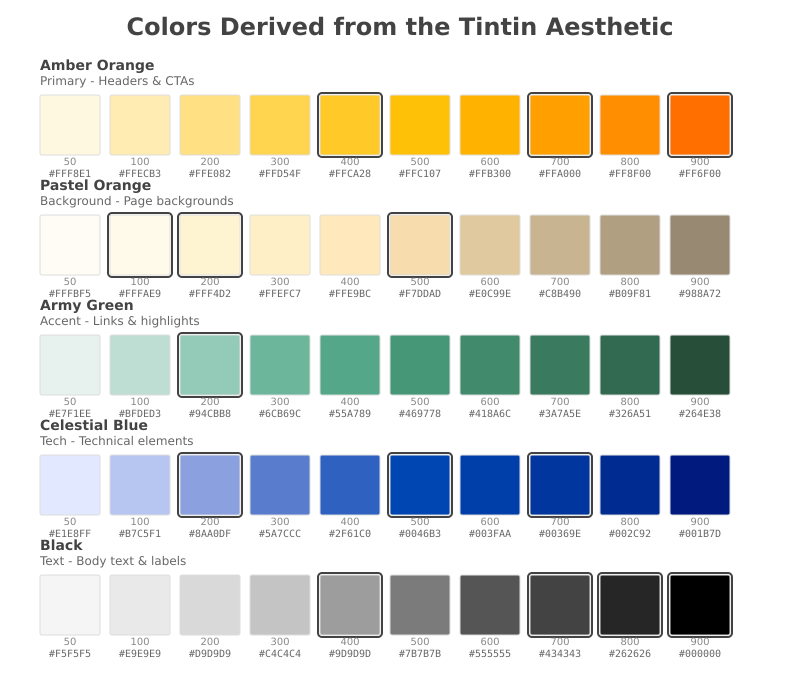
Choosing the Right Tools for the Job
With a clear visual direction, I needed to make some practical decisions about the tech stack. I've learned that personal projects succeed when you choose tools that match both your goals and your constraints.
I landed on TypeScript + Vite + React + CSS. Deliberately simple, deliberately focused.
Here's why I ruled out the alternatives:
- Docusaurus: I experimented with it for the React-based blog system, but found myself fighting the framework for control. When you have a specific vision, opinionated frameworks can become obstacles.
- Next.js: Overkill for a simple site that doesn't benefit from server-side rendering. Sometimes the simplest solution is the right solution.
- Gatsby: Felt unnecessary given my requirements. My past experience suggested the complexity wasn't worth it.
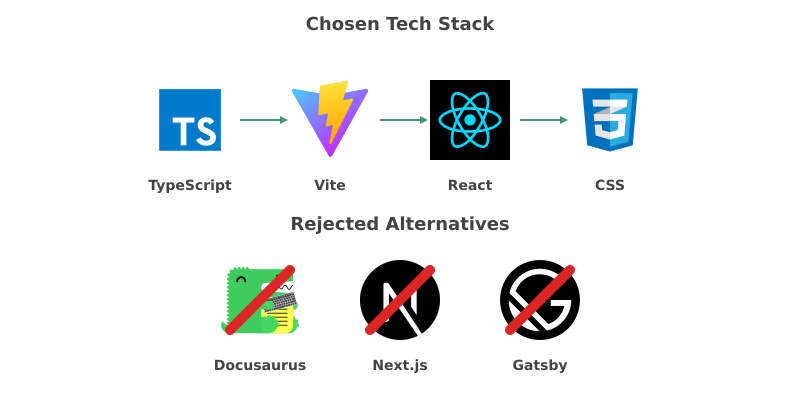
The lesson here isn't that these frameworks are bad. They're excellent for their intended use cases. But personal projects give you the luxury of optimizing for exactly what you need, and nothing more.
Working with AI Agents: The Reality Check
I decided to work with CLI AI agents for most of the development work. I used both Claude and Gemini. Having used AI assistants on previous projects, I had realistic expectations about their capabilities and limitations. This project confirmed many of my earlier observations while revealing some new insights.
Claude proved excellent at delivering results, although it does take its sweet time to find everything it's looking for (almost every time). Think of it as the thorough, methodical developer on your team. Reliable, but not always the fastest.
Gemini surprised me with how quickly it could search and locate things, but the terminal experience left much to be desired when reviewing changes. It felt like working with someone who could find anything instantly but struggled to explain what they'd found.
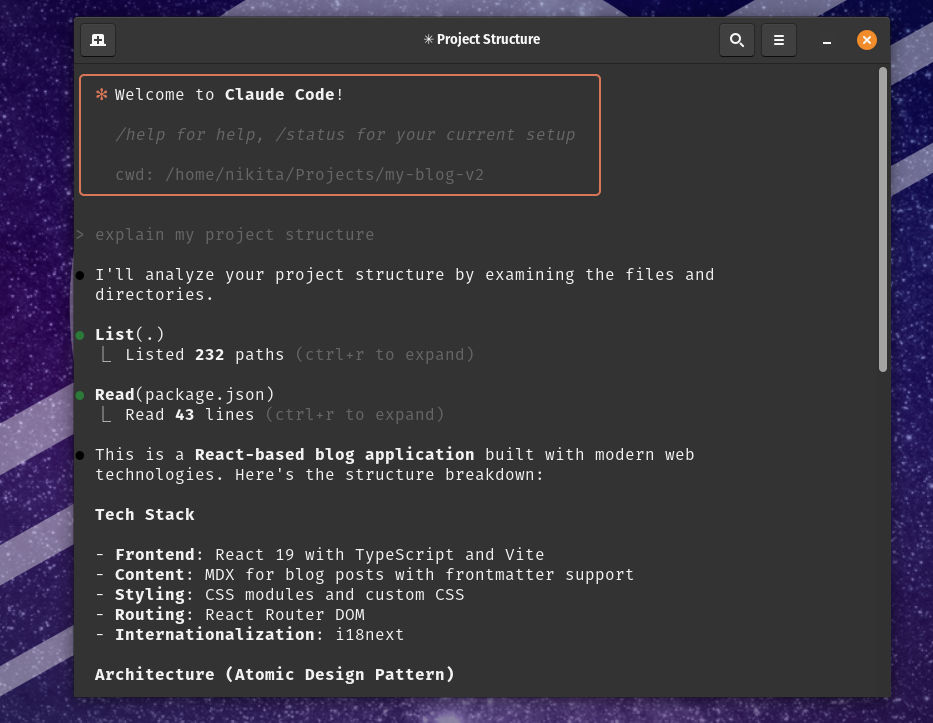
Both agents handled project creation, component work, and layout implementation reasonably well. But here's the honest truth: they struggle with styling and styling issues, frequently pick colors that don't meet WCAG accessibility standards, overcomplicate or cheat solutions, and have a frustrating habit of making things up as they go along.
I lost count of how many times an agent confidently used a non-existent library, generated code that ignored my explicit instructions, or hallucinated API methods that don't actually exist. It's like pair programming with someone brilliant but occasionally prone to confident nonsense.
The Unexpected Challenges
Two things proved more challenging than expected: getting the styling right with my chosen color palette, and refining the copy for different sections.
The color issue was particularly frustrating. The agents kept suggesting combinations that looked fine but failed basic accessibility tests. Having worked with WCAG standards on mobile and web before, I immediately saw these issues. But the process of fixing them using online tools to check contrast ratios, building compliant palettes, hoping everything still looked good was tedious enough that I ended up building my own accessibility tool for future projects.
The copy refinement took multiple passes too. Writing about your work is different from just doing the work. Each section needed to balance personal narrative with practical insights, technical detail with accessibility.
A New Development Workflow
Working with AI agents fundamentally changed my development process, mostly for the better. Instead of switching between architect and implementer roles, I could focus on the big picture:
- Architect the solution - What do I want and why?
- Delegate implementation - Let the agent handle the details
- Review and refine - Catch the inevitable issues and guide improvements
- Step in when needed - Sometimes it's faster to just fix it yourself
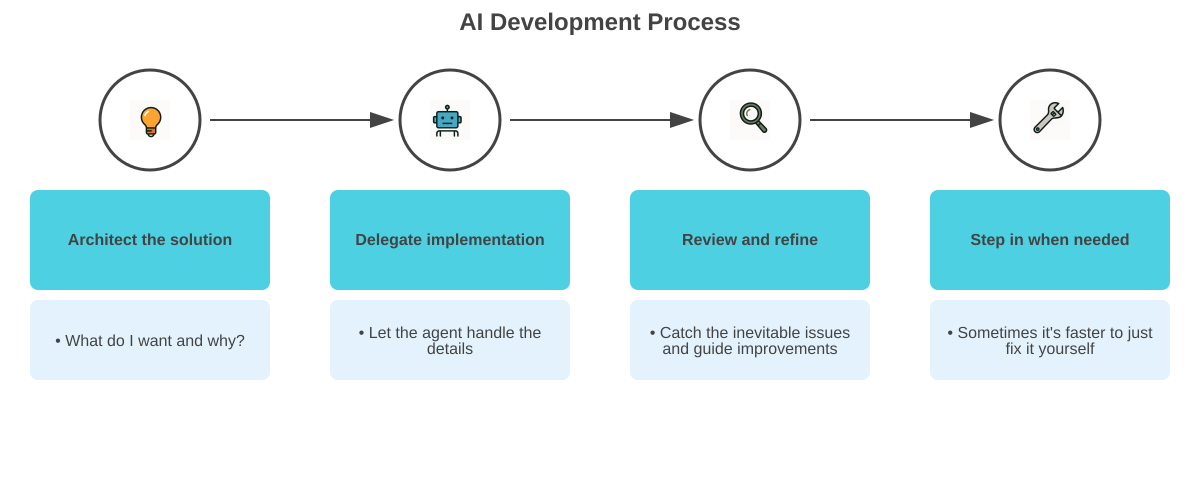
This approach sped up development significantly, but it required a different kind of discipline. You need strong opinions about what you want before you delegate the work. Vague instructions lead to vague results, and debugging an AI's misunderstandings can be more time-consuming than just writing the code yourself.
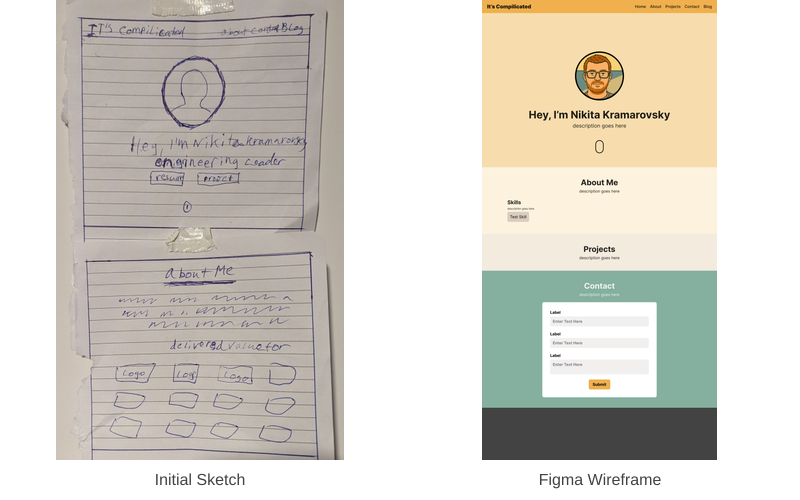
What This Means Going Forward
Building this site taught me that the real barrier to starting personal projects isn't technical; it's having a clear vision and the discipline to execute on it. AI agents are powerful tools for implementation, but they're only as good as the direction you provide.
More importantly, this platform exists now. That means future posts can focus on deeper technical topics, career insights, and the kind of thought leadership that helps build connections in our industry.
That's why, if you've had a personal project on the back burner, my nudge isn't about the tech. It's about finding your why. Once you have that, you just need to start.
Thanks for reading my first post here. There's more to come.